My audio setup
Table of Contents
:ID: 712d972d-79ea-4fe4-8d42-592ace4cefc8
# Diagram
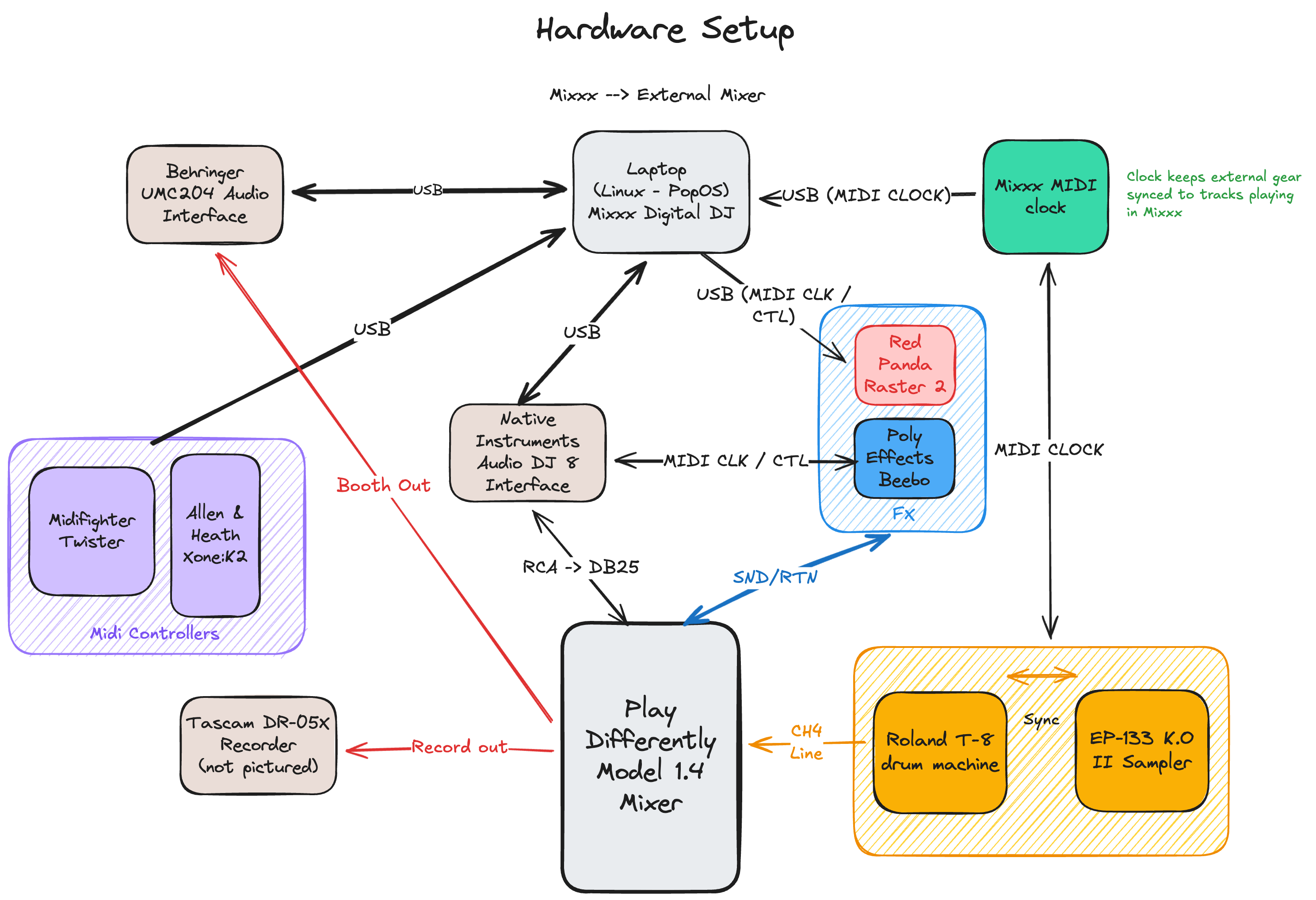
Some items in the diagram aren’t pictured below.
# Mixer, Midi Controllers and FX
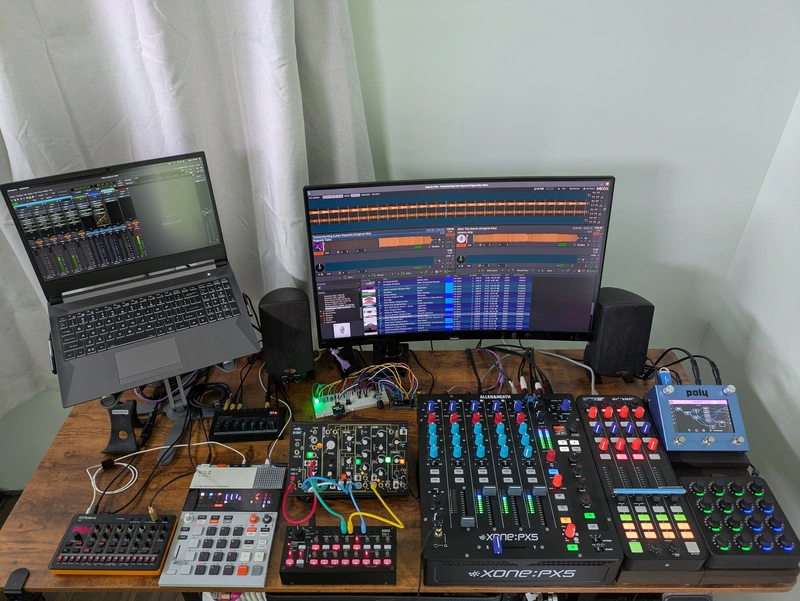
Mixxx is used for playing tracks in external mixer mode. Each deck’s audio is sent out the audio interface and into the Model 1.4 via DB25 connector. What’s nice about using the DB25 is that it leaves open the RCA connections allowing for switching between audio sources (eg, audio from Mixxx and other gear)
Both the Xone:K2 and the Midi Fighter Twister are used to control everything in Mixxx and some stuff on the Beebo. See also my custom Xone:K2 controller mapping.
Audio recording is done on the Tascam Recorder. Booth out audio goes back into the laptop so I can play around with creating beat aware visualizations using things like ProjectM.
# Mixxx Midi Clock
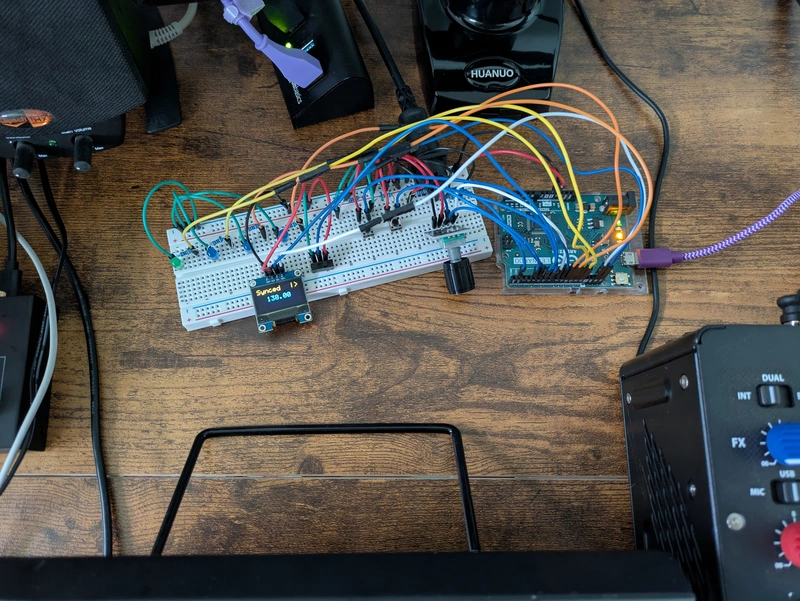
MIDI clock signal is generated by the Mixxx MIDI clock and distributed to software and devices over USB and MIDI DIN. This is fundamental to keeping external gear like the drum machine in sync with tracks playing in Mixxx. It allows me to set tempo shift beat phase on external gear (beat match)
# Drum machine, sample and synth
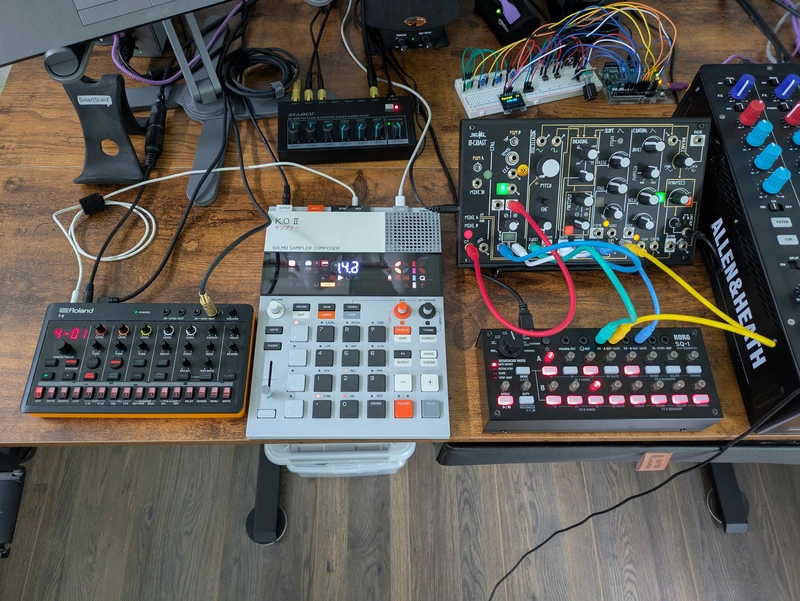
I’m having a lot of fun incorporating a drum machine and sampler into the setup. Right now I’m using a Roland T-8 and TE EP-133 K.O. II.
# Setup script
I use a script symlinked into a location in my path so I can just type a single command in the terminal to start the programs and make the pipewire connections.
https://github.com/apmiller108/audio/blob/main/pipewire_mixxx_startup.sh